Wednesday, January 13, 2016

The Magic of Osmo

Earlier this month I mentioned that I think teachers are masters at taking something that is made for one purpose or subject or age group and making it work for a totally different one. So it is with Osmo. Santa brought my daughter an Osmo - a small base, a little mirror that sits on top of an iPad camera, and 5 apps that come with accessories for learning and creation. Osmo is designed for kids ages 5 and up, but I immediately wanted to try it out in a high school classroom. 

From the moment the Osmo comes out of the package, you will be impressed. The brightly colored packaging is sleek and magnetic and nests together. The design of the base and camera are simple and elegant. The toys pack up so nice and neatly. There are two ways to buy it. The Starter Kit ($79) contains the base and mirror plus the letter tiles for the Words app and the puzzle pieces for Tangram. The Genius Kit ($99) includes those items and the number tiles for Numbers.

The Osmo app that I think has the broadest high school application is Words. Words is a digital visual hangman game. You see a picture and bubbles for the letters in the words. Osmo comes with little letter tiles. When you see the picture, you place a letter in front of the Osmo and if it's right, it puts it into place. If it's wrong, it puts the letter in the incorrect guesses area. If you wait too long, you get a hint. With two colors of letter tiles, you can play this game against another person (or people) or in a "Zen" way where everyone works together to solve the puzzle. The best part is that you can create your own words and pictures with photographs you take or images you find.

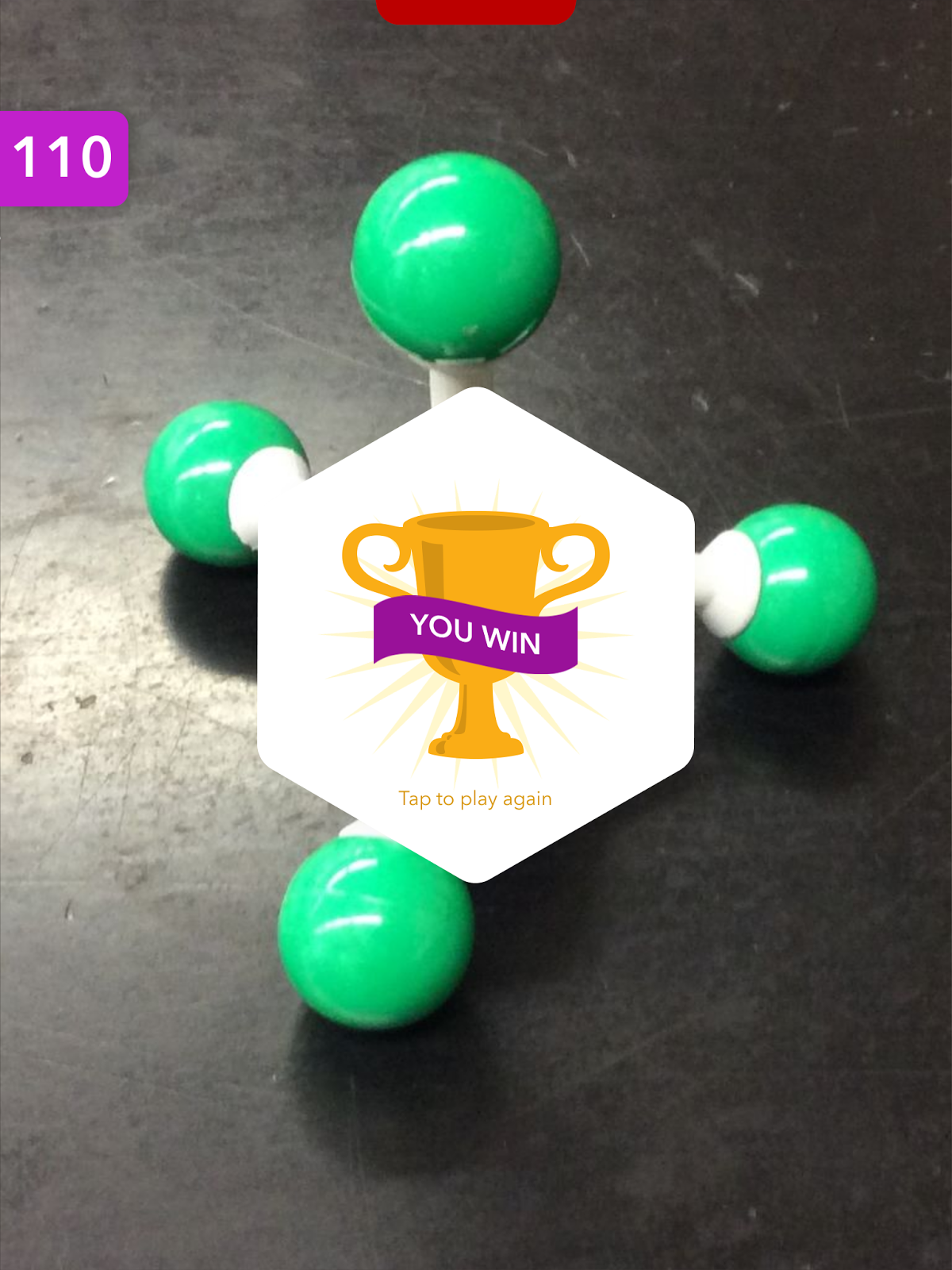
I used a model kit to build 5 standard molecules. I used my iPad to take a picture of each one. I put these pictures into a library in my Osmo account and added the vocabulary word to each picture. Then I used the Osmo to practice these molecular shapes. The whole process took me about 15 minutes.

Playing the Osmo is like magic. It's fast and fun. I love how customizable this is. This would make a great vocabulary station for a student or group of students to practice new terms. I like how visual it is too. Associating the word with a picture will definitely help students remember the meaning of the word. When you get the word correct, it tallies up a score. After you correctly guess all the words, you get a "you win" message.


I am looking forward to using this in my solutions unit because there are so many vocabulary terms in solution chemistry. Tying those terms to a visual should increase understanding. Much of the chemistry my students learn during second semester is a brand new experience, so having an extra push with vocabulary makes sense. Doing it with a toy like Osmo will make it more fun.

I haven't tried out the Numbers app yet (balancing equations, maybe?). I am looking for a meaningful way to incorporate Masterpiece (a very cool drawing app) in my classroom. I'm not sure there is an authentic way for me to use Tangram (exactly what it sounds like) or Newton (a "hit the target" puzzler that is awesome, but not very chemical). And I can't wait to see what Osmo apps develop next!

Wednesday, January 6, 2016

A Great Addition to Classkick!

Classkick is one of my favorite iOS apps for using instant feedback to guide students as they practice a new skill or process. Classkick allows teachers to create assignment slides quickly and, through a code, share them with students. As students complete the assignments, the teacher can watch them work in real time. Teachers and students can provide help and feedback. This week Classkick added a great new feature - the ability to view the assignments from any internet-enabled device.

Classkick Viewer lives on the web. Input the class code for the assignment and the name you used to complete it (or the name of a student who completed it) and you can view all the work on that assignment. 


This could be handy in a variety of ways. The most powerful is that a student can access their work after class. In my classroom, we use a class set of iPads to complete these assignments. When the students leave, their work remains behind, so I always make them write it down in the app and also on paper. Being able to view your work - and use it as a guide for your homework - means you could take notes every day in Classkick and access the work on a device later. Classkick Viewer would also allow teachers to pull up student work on a computer to project it - and discuss how one solution to a problem is similar to, different from, or better than another solution or share on a computer screen the work a student does in class at a parent-teacher conference. And, speaking of parents, if a parent had a Classkick code, he could watch his son or daughter as they complete an assignment in class or examine work after the assignment is complete. That's awesome. As a mom, I would love that kind of access.

Classkick was already a great app. I love this new feature and will showcase it with my students later this week. Maybe even without the paper safety net. Bravo, Classkick!

Monday, January 4, 2016

I Need a BUNCH of Bunchems!

I always say that teachers are masters at taking something that was not designed for education and making it work for something in a classroom. For that reason, I wonder if all educators look at the holidays as a special time to discover new things for their classrooms. My children complain when I ask them to pass me a box so I can take look because they know that I want to play with it before they get a chance. So it was this week with Bunchems!

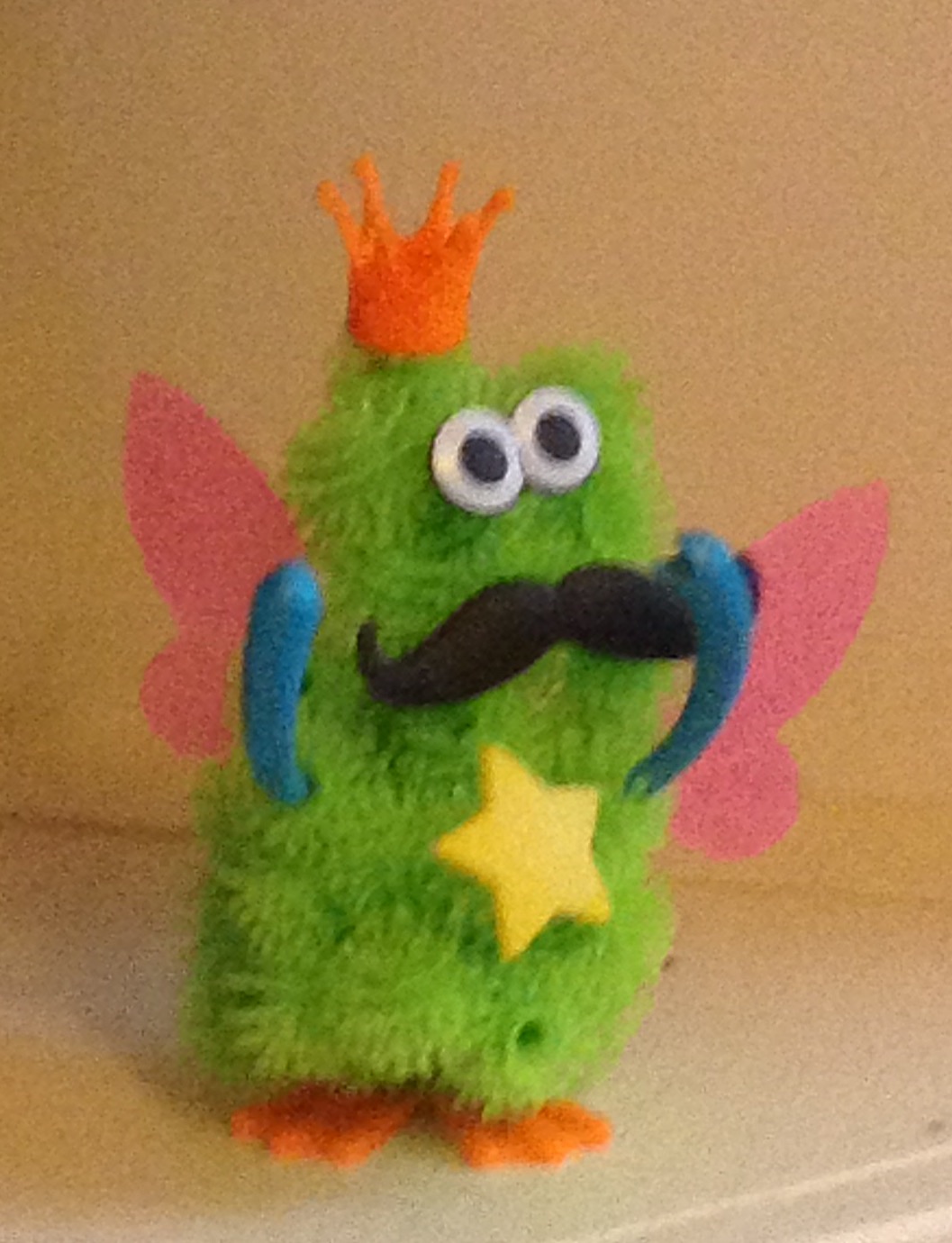
A Bunchem is a small plastic puff that is covered with small hooks, kind of like a spherical velcro ball. 

The little hooks mean you can attach them to other bunchems and build things simply by touching two bunchems together. The possibilities of what you can make seem endless, limited only by what you can imagine and gravity. In addition to the bunchems, the kits also contain some accessories - legs, hats, and so on - that will give your creations extra pizzazz.

My daughter's Mega Pack was open for about 15 seconds before I had my hand in the box and was imagining the molecular possibilities. I use model kits in my classroom all the time, but in some ways these are just as good or better. For modeling the particles in different samples of matter, for showing ionic crystal structures, or for letting individual students model particles, these would be faster, easier, and cheaper.

In a recent post, I showed pictures my students had drawn of a balanced chemical equation. In the picture below, I show the same reaction with Bunchems. 


By using Bunchems, instead of drawing, kids could test whether or not their representation obeys the Conservation of Mass Law by weighing the reactants and products. I like the idea of using Bunchems and something else to demonstrate "like dissolves like" when I get to solution chemistry next month.


If you don't teach chemistry, you could use these for modeling any number of things. Or for filling the sand table. Or as a building toy as they were intended. The Bunchems Mega Pack contains almost 400 Bunchems and a lot of accessories. For around $20, it's a great buy. I am definitely putting these on my wishlist!


Making Christmas Great

Almost twenty years ago my family opted to stop buying traditional Christmas gifts and start making Christmas gifts. The decision to do this came at the junction of two things: my mom had lost her Christmas spirit when her brother died close to the holiday and we had become a family of adults who were fully capable of buying what we wanted all year. It started as a one-year challenge, but we had so much fun that first year, we have been doing it ever since.

Here's what people made this year:

As pretty as the Mason jar candle that my mom made is, I wish you could smell it. I will love to burn it but hate to see it go.


My older sister made hot chocolate mix and homemade marshmallows. Before I saw these, it never even occurred to me that marshmallows could be made at home! She always has the best product packaging too - look at those great labels!


My younger sister made super groovy Christmas ornaments. These beautiful, glittery balls involved Mop-n-Glo as an ingredient!


One of my stepdaughters made a hemp washcloth that is a natural exfoliator. It is a gorgeous plum color and came with homemade soap.


My dad and stepmom made this glass block present light. Red and white Christmas lights inside the block complement the ribbon.


The big win this year was from my aunt. I keep calling it the bread guillotine. Put a loaf of bread on the cutting board inside and let the grooves guide the knife for straight, even slices. I have tried it on pumpkin bread pictured here and also a French baguette - both worked great! Need thicker slices? Skip a groove or two!


Making Christmas gifts has brought some wonder back to the holiday. It is always very exciting to see what everyone has made. It is equally fun to hear the stories of the things we learned along the way. Often we have taken classes or read books or watched videos as we mastered a new craft. Each round of gifts is so fun to open because you never know what will be inside.

I typically focus on things that happen in my classroom when I write for my blog. I love so many elements about our maker Christmas that I know I would like to bring those things to my classroom. Maybe this will be the year!

Wednesday, December 30, 2015

Visualizing a Balanced Equation


If I was going to make a list of the 5 things I would want any student to be able to do when they leave high school chemistry, I would certainly include balancing equations on that list. A balanced equation is a chemical sentence, the shorthand way we have of representing what substances combine and what they change into. The equation has to be balanced (coefficients are placed in front of symbols and formulas) to show that the process obeys the Law of Conservation of Mass (all the atoms from the beginning of the process must still be around at the end). In December my students learned to balance equations and by the test before vacation, they had mastered it.

In an effort to make all this invisible chemistry more visual, I routinely ask my students to draw atoms and molecules using a model of different sized and colored circles to represent different types of atoms. Sometimes I provide the pictures and they interpret them; other times I provide the chemistry and they illustrate. On the test I gave before vacation, I asked them to draw the particles involved in this equation:

2 Al + 3 CuCl2 --> 2 AlCl3 + 3 Cu

Here are some of the responses:

What the student below drew would be Al2 + Cu3Cl6 --> Al2Cl6 + Cu3. The equation balances. All of the atoms from the reactants are still present as products. The coefficients and subscripts are confused, though, showing a lack of understanding of what those numbers represent. I love that the student included a key!


What this next student drew would be represented as Al2 + Cu3Cl2 --> Al2Cl3 + Cu3. Again there is confusion between coefficients and subscripts, but, in addition, this answer shows a lack of understanding that the coefficient applies to everything in a formula that follows it. 3 CuCl2 would not be molecules made of 3 copper (Cu) atoms and 2 chlorine (Cl) atoms. Also mass is not conserved here; there are 7 reactant atoms but 8 product atoms.


Most of the students drew something that looked like this next picture (or the one at the top of this post). This is the correct representation.


At the beginning of this year, I wrote about a new take on notetaking (my most popular post ever) and my experiments with sketchnoting. This visualizing chemistry is sort of an outgrowth of that and some other things I have tried over the years. Most of my students could balance the above equation in fewer than 30 seconds, but some of them, despite showing the ability to balance cannot correctly interpret what the equation means. And that is something I would never have known except that I asked them to draw it.

If you are teaching chemistry, asking your students to draw some things might reveal some misconceptions too. If you are not teaching chemistry, what could you ask your students to draw to check for understanding?

Tuesday, December 29, 2015

Nature at its Finest

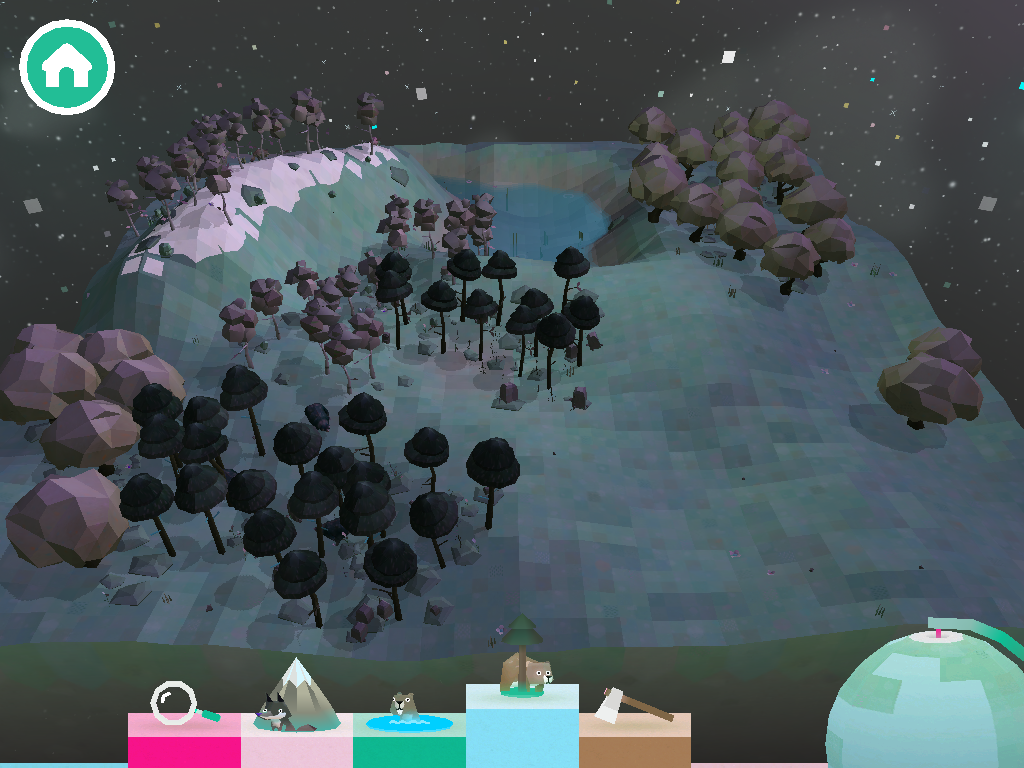
I recently spent more time, in a busy holiday season, than I care to admit playing with an app called Toca Nature. Toca Nature is one of 29 apps designed by TocaBoca, one of my favorite app makers. I think I grabbed it when it was free for 24 hours earlier this month and the cute fox icon was calling my name on Sunday morning when I should have been doing almost anything else. After just a few minutes, I was hooked.

Open the app and you find an almost blank canvas. There is a square landscape and some trees to get you started. Like all of TocaBoca's apps, the graphics are great. They have just the right mix of realism and fantasy, if that makes any sense. With some simple controls, you can add trees of 5 varieties or add mountains or water. Or, if you're that kind of person, use the hatchet to chop things down. With the trees come some animals. The animals need to eat, so you collect food too. Use a magnifier to zoom in and see the animals up close. If it sounds lovely, it is. If it sounds lame, just try it. I think you'll get hooked.


I like a lot of things about this app. First, it gives kids - even very small kids - an inkling about ecosystems. If you chop down all the trees, the animals disappear. If there are no fish for the foxes to eat, they start to look pretty sad. It isn't grim; there isn't death and destruction. But as my son chopped down trees and the animals vanished, we all understood what was happening.  Second, it offers a chance for discovery learning in a way that can't really be replicated by children in the world. While TocaBoca makes the point that this app isn't a substitute for actual nature, it is also really cool that you can make these big changes - create a forest, grow mountain range - and see what happens. Also, there are five animals that come with the 5 types of trees, but others are also possible and you have to figure out how to bring them around. Part of what had me hooked was trying to figure out how to "make" a wolf. Third, the animals adapt. Put a fox or a bear in the snowy mountains and see what happens. It's awesome. Finally, the simplicity of the controls and the groovy graphics really draw the player in and make it an engaging experience.


I like a lot of things about TocaBoca too. I like that they make the point that their apps are designed for open-ended fun that isn't competitive or designed for a specific gender or includes in-app purchases. I like that they post information about the importance of learning through play, that they take the position that digital toys and physical toys can be played in concert with one another, that balance is important. And I like that they are designing interesting apps that respect kids and offer them, in many cases, an experience that would be difficult to have in everyday life. Until Nature, my favorite TocaBoca app was TocaBuilders, a very cool maker-style app that I have called Minecraft without zombies, but the next one I want to try is TocaBlocks. It looks awesome too.

If you just bought an iPad for your family or your child, check out the suite of apps by TocaBoca and put Toca Nature on the top of your list.

Sunday, December 6, 2015

Create an Hour of Code this Week


This week is Computer Science Education Week. In conjunction with the week, and to encourage more people to try their hand at coding, Hadi Partovi and his army of friendly coders are encouraging us to create an Hour of Code. Two years ago this effort began and it grows every year. You don't need any experience to try your hand at some basic coding. The internet is crawling with easy activities and tutorials. In fact, Google's Made with Code has a fun Santa Tracker that is easy peazy. It won't take you an hour, but it might whet your appetite for more coding fun.


Two years ago I signed up to create an Hour of Code with my students. I blogged about it here. This year, like the previous two years, I will teach my students to write programs on their graphing calculators. I will lead them through one and let them create a second with only one requirement: the program must be used to solve a chemistry problem. I am always amazed at what they come up with. And how quickly they can do it after seeing just one program written.

If that sounds too high tech for you, try out one of these other resources:

  • Create stories, games, and animations with Scratch
There is something on this list for all ages, from about age 6 on. 

No one thinks that completing an Hour of Code with make someone an expert. But the idea that every student should have access to computer science education is a noble one. I have seen first hand in my classroom that, for some students, seeing that they can write a program is transformative. Spark someone's imagination this week by helping them create an Hour of Code. You'll be glad you did. And so will they.